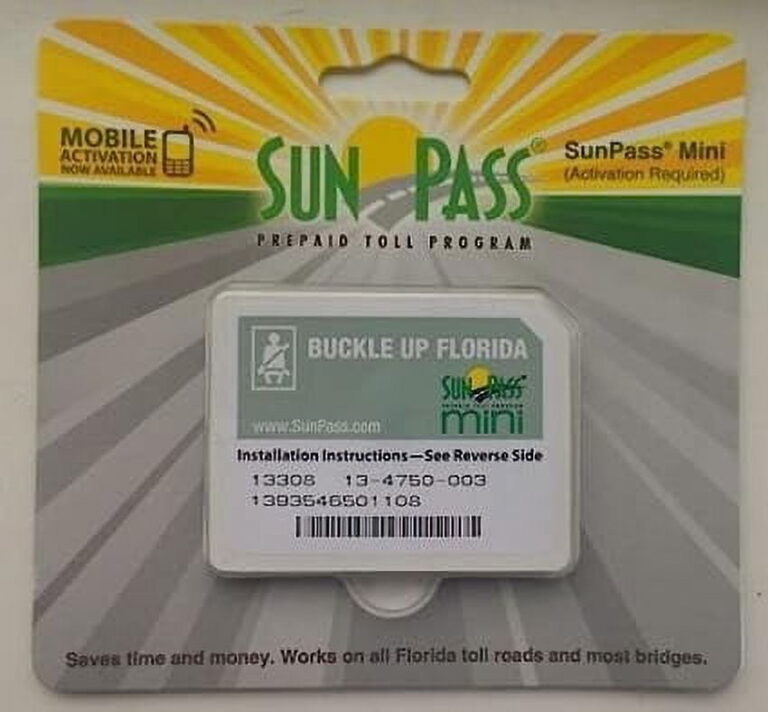
To activate SunPass Mini, create or sign in to your SunPass account, register the sticker transponder, enter your vehicle and license plate details, add the required prepaid funds, and install the sticker on your windshield. Confirm that the transponder and vehicle appear correctly in your account before using a toll road.
Drivers across the United States use electronic toll systems to pay for road and bridge charges without stopping to pay cash. In Florida, SunPass is the state’s prepaid toll program. A SunPass Mini sticker transponder lets eligible drivers pay tolls electronically on supported roads and bridges, including many routes in Florida and several other states.
Activating a SunPass Mini involves more than placing a sticker on the glass. The transponder must be registered to a SunPass account, linked to the correct vehicle and license plate, and supported by an adequate account balance. Installing the sticker correctly also matters because the toll system must be able to read it as the vehicle passes through a compatible toll point.
This guide explains how to activate SunPass Mini through the official account system, what information to prepare, how to mount the sticker, and how to check for common problems. Account screens and program rules can change, so use the official SunPass website for the current instructions and requirements.
What Is SunPass Mini and How Does Activation Work?
SunPass Mini is a small, adhesive electronic toll transponder issued through Florida’s SunPass program. It communicates with compatible electronic toll equipment as your vehicle passes through a toll point. The toll charge is then deducted from your linked prepaid account when the transaction is processed.
The word activation refers to registering the transponder and making it ready for use under the program’s rules. It is separate from physically attaching the sticker to your windshield. A sticker can be installed but still be unregistered, linked to the wrong vehicle, or associated with an account that lacks sufficient funds.
SunPass Mini works on toll roads and most bridges in Florida, as well as supported facilities in Georgia, Kansas, North Carolina, Oklahoma, and Texas. Coverage depends on the participating toll facility and the program’s current agreements. Check the official SunPass website before traveling outside Florida.
The Mini is designed as a permanent windshield sticker. Unlike a portable transponder, it is not intended for routine removal and transfer between cars. Drivers who need one device for multiple vehicles should review the available portable transponder options before choosing a product.
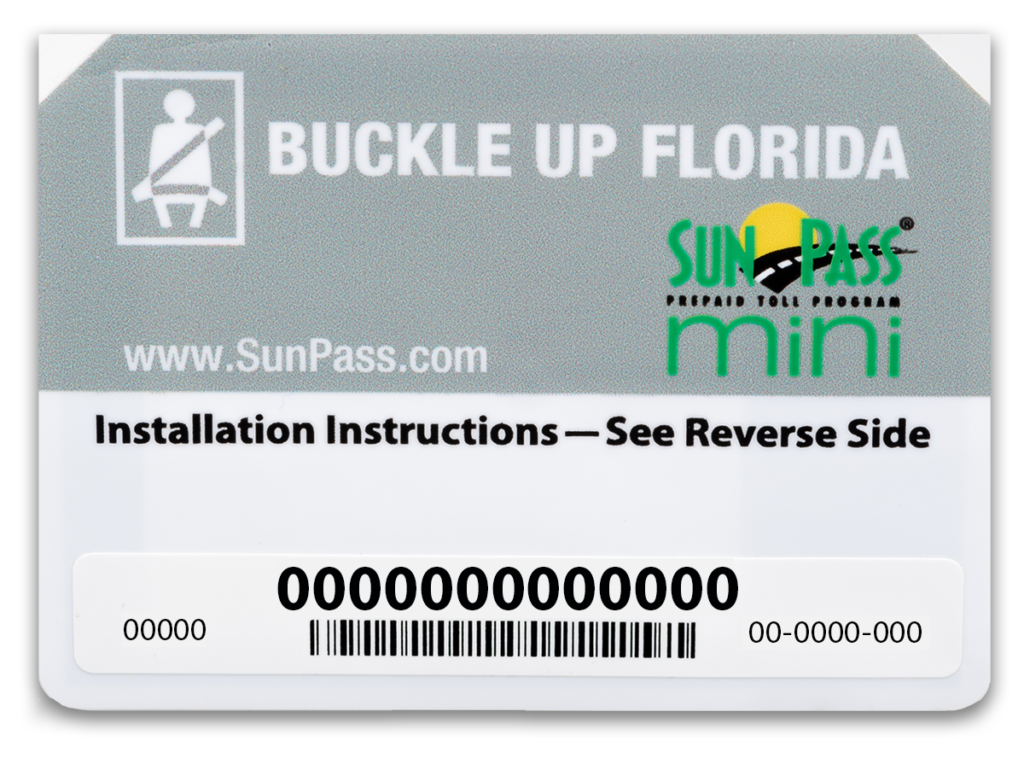
Source: Florida’s Turnpike Enterprise
Account registration
Connects the transponder to your SunPass account and allows you to manage its status.
Vehicle registration
Associates the transponder with the correct vehicle and license plate so toll activity can be matched to your account.
Prepaid balance
Provides the funds used to pay eligible toll charges.
Correct installation
Places the sticker where compatible toll equipment can read it as intended.
What You Need Before Activating SunPass Mini
Gather the required information before opening the activation page. This makes registration easier and reduces the chance of entering an incorrect transponder number or vehicle detail. SunPass requires vehicle and license plate information and payment information during account enrollment.
If you already have a SunPass account, sign in instead of creating a duplicate account. If you purchased a new sticker, keep its packaging available so you can locate the transponder number or other identifying information requested during registration.
SunPass Mini sticker
Keep the sticker and its packaging available until the registration process is complete.
Transponder number
Use the number associated with your particular sticker. Do not substitute a number from another device.
Vehicle and plate details
Have the vehicle information and exact license plate characters ready.
Payment method
Prepare an accepted payment method to fund the prepaid account.
Account login
Have your existing credentials ready, or prepare to create a new account.
How to Activate SunPass Mini Online
The official SunPass website is the main place to register a new transponder and manage its account details. Begin at SunPass.com and choose the activation or account setup option that matches your situation. Avoid unofficial websites that ask for payment or personal information while claiming to activate your device.
The exact labels on the website may change. Follow the current prompts and read each screen before submitting your details. If you have an existing account, use its transponder management section whenever possible.
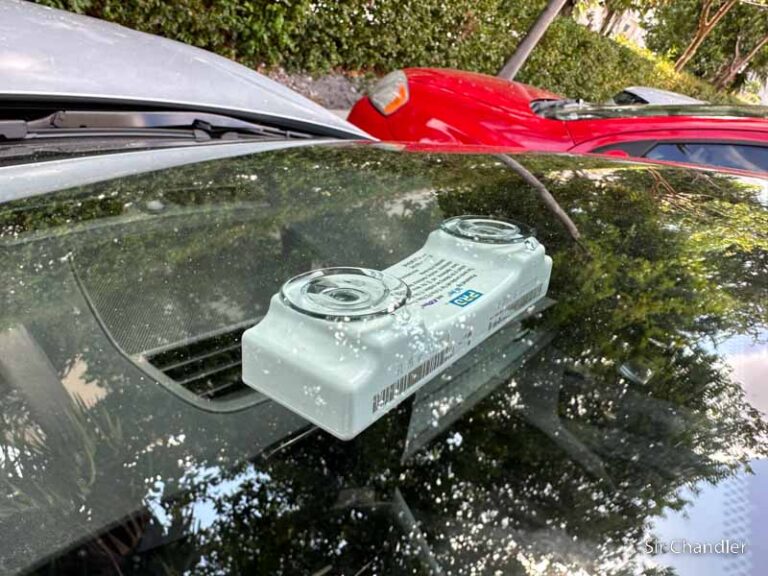
Source: ozd.supernovahairtools.com
Step 1: Open the official website
Enter SunPass.com directly into your browser. Confirm that the address belongs to the official SunPass service before entering personal or payment details.
Step 2: Choose the correct account option
If you are a new customer, select the option to create an account or activate a transponder. If you already have an account, sign in and look for the transponder management section.
Step 3: Enter the transponder information
Enter the number printed on or supplied with your SunPass Mini, following the instructions on the page. Check every digit before continuing.
Step 4: Register the vehicle
Enter the requested vehicle information and license plate details. Choose the correct state or jurisdiction for the plate and verify the characters carefully.
Step 5: Add payment information
Provide an accepted payment method and fund the prepaid account. SunPass identifies $10 as the minimum replenishment required upon activation.
Step 6: Review and submit
Check the transponder number, vehicle details, license plate, and payment information. Submit the form and follow any confirmation prompts.
Step 7: Verify the registration
Sign in to your account and check the transponder and vehicle records. Make sure the sticker is associated with the intended vehicle and that the account is ready for use.
Activating SunPass Mini With an Existing Account
If you already use SunPass, there is usually no need to open a second account just to register another eligible transponder. Sign in and locate the area labeled Transponders and Vehicles, or its current equivalent. Follow the available option to add or register the new device.
Check that you are adding the new sticker rather than editing an existing transponder by mistake. If you have more than one vehicle, confirm the intended vehicle and plate before saving. An incorrect association can create confusion when reviewing toll charges or resolving a missed transaction.
Keep the correct account
Use the account you intend to manage and fund for future toll trips.
Check existing devices
Review the transponder list before adding a new sticker to avoid confusing it with another device.
Save the changes
Follow the website’s confirmation steps, then revisit the account to verify the saved details.
Creating a New SunPass Account
New customers should choose the account creation process and provide the requested contact, vehicle, and payment information. The official registration process may also ask you to create login credentials, set security details, and choose communication preferences.
Use contact information you can access and choose a strong, unique password. Keep account recovery details secure. Do not share your password, PIN, full payment details, or account verification codes with strangers who offer to activate the sticker for you.
Complete required fields
Enter accurate information in each mandatory field and review it before submitting.
Use secure credentials
Create a unique password and protect your account recovery information.
Retain confirmation details
Keep any confirmation number or registration message in case you need to contact customer service.
How Much Money Do You Need to Activate SunPass Mini?
SunPass requires a minimum replenishment of $10 upon activation of a prepaid transponder account. This is the minimum account funding requirement stated by the program, not a guarantee that $10 will cover a particular trip or a fixed period of driving.
Your actual costs depend on the toll roads, bridges, managed lanes, and other eligible facilities you use. Toll rates vary by location and may depend on the facility, vehicle classification, and applicable payment rules. Check the relevant toll authority’s current rate information when planning a trip.
The cost of buying the sticker is separate from the amount deposited into the prepaid account. SunPass has listed a $4.99 replacement cost plus tax for the Mini in its published FAQ, but a replacement price should not be treated as a universal current purchase price. Confirm the price shown by SunPass or an authorized seller before buying a new device.
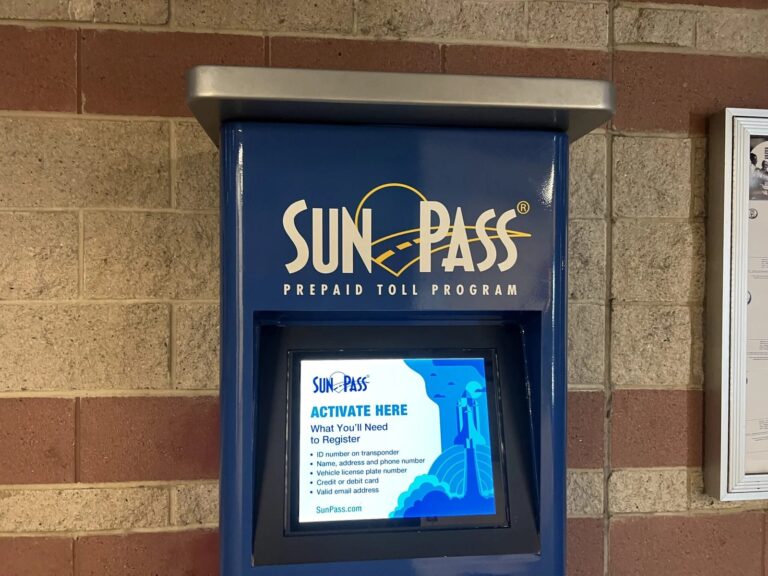
Source: ebay.com
Sticker purchase
The amount paid to obtain the physical transponder. The final price can depend on the current offer or sales channel.
Initial account funding
SunPass states that a minimum $10 replenishment is required upon activation.
Future toll charges
Eligible tolls are deducted from the prepaid balance as transactions are processed.
Additional account funding
You may need to add more money as you travel, depending on your toll use and account settings.
Example of How the Prepaid Balance Works
Consider a hypothetical account funded with $10. If a driver then incurs $3 in eligible toll charges, the remaining balance would be $7 after those charges are posted. If the driver makes more trips, the balance continues to change as additional transactions are processed.
This example explains the arithmetic only. It does not represent an actual toll rate or promise that every toll transaction will post immediately. Review the account activity page for recorded charges and the available balance.
Starting balance
$10 in this hypothetical example.
Example toll charges
$3 in total, used only to illustrate the calculation.
Remaining balance
$7 after the example charges are deducted.
Should You Enable Automatic Replenishment?
Automatic replenishment can help prevent a prepaid balance from running low during regular travel. If the account offers an automatic funding option, read the terms and choose settings that fit your needs. Check the selected payment method and the amount that will be charged before enabling the feature.
If you prefer to control each deposit yourself, monitor the balance and add funds before a planned trip. Either approach requires you to check that the account remains active and that the payment method has not expired or been declined.
Automatic funding
May reduce the need to add money manually, but depends on valid payment details and the account’s current settings.
Manual funding
Offers direct control over deposits but requires regular balance checks.
How to Install SunPass Mini on Your Windshield
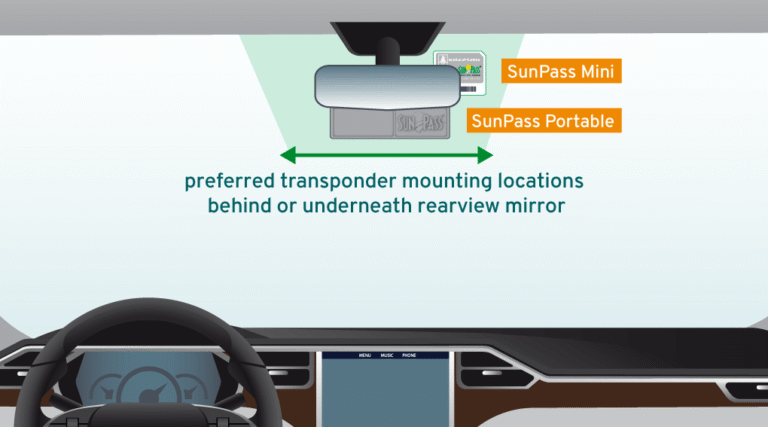
Install the SunPass Mini only after checking the instructions supplied with the sticker and confirming the correct placement for your vehicle. The device must be attached to the inside of the windshield so compatible toll equipment can read it. Correct placement helps avoid problems caused by an unsuitable mounting location.
SunPass advises positioning a transponder to the right or left of the rearview mirror. If the windshield has a solar tint strip, the device should be installed at least 2 inches below that strip. Some vehicle models may require an externally mounted transponder, so check the official guidance if your windshield has special features.
The Mini is an adhesive sticker, not a portable unit. Once attached, it should not be treated like a removable pass that can be moved freely between cars. If you need a transponder for more than one vehicle, review the program’s portable options and their registration rules.
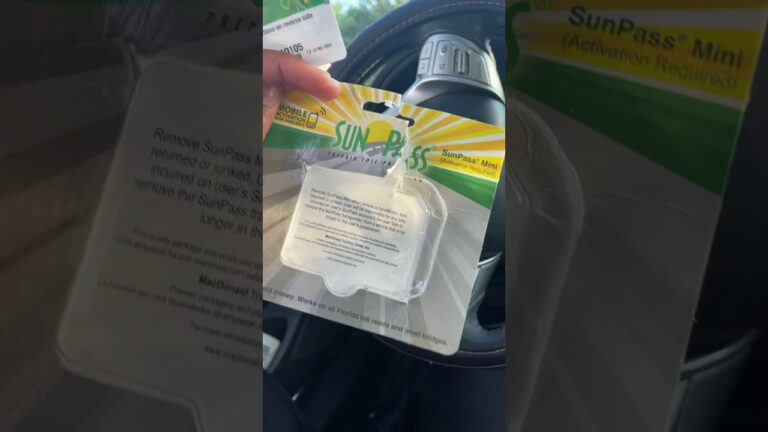
Source: YouTube, GabrieleHiott
Step 1: Choose the mounting location
Select a suitable position near the rearview mirror, following the current SunPass instructions for your vehicle.
Step 2: Check the tint strip
If a solar tint strip is present, position the sticker at least 2 inches below it, as directed by SunPass.
Step 3: Prepare the glass
Make sure the selected area is clean and dry before applying the adhesive sticker.
Step 4: Attach the sticker
Follow the supplied mounting instructions and press the sticker into the correct position without covering the driver’s view.
Step 5: Check the placement
Confirm that the sticker is secure, correctly positioned, and associated with the registered vehicle.
Important Installation Limits
Do not assume that every windshield allows the same placement. Solar coatings, specialized glass, and vehicle design can affect how a toll transponder should be mounted. Consult the vehicle manufacturer’s guidance and SunPass support if you are unsure.
SunPass states that the Mini does not work on a motorcycle. Riders who need electronic toll payment should review the compatible SunPass PRO option and its mounting requirements rather than attempting to use a Mini sticker on a motorcycle.
Do not transfer the sticker casually
The adhesive Mini is intended to stay on the registered vehicle. Ask SunPass about replacement or account procedures if the windshield or vehicle changes.
Do not obstruct visibility
Place the device where directed without blocking the driver’s clear view of the road.
Check special glass requirements
Seek current guidance if the vehicle has a solar-coated windshield or another feature that may affect mounting.
How to Confirm That Your SunPass Mini Is Activated
The most useful first check is your online account. Sign in and review the transponder list, the associated vehicle, the license plate, and the account balance. Look for any status message or instruction that indicates the registration process is incomplete.
A successful form submission alone does not establish that every detail is correct. Confirm that the transponder number matches the sticker you installed and that the vehicle record reflects the car you intend to drive. Correct any mistakes through the official account tools before relying on the device.
SunPass processes toll transactions electronically, and the appearance of a new transaction may not be immediate. Do not treat the absence of an instant charge as proof that the device is defective. Instead, verify the account and device details, retain relevant trip information, and contact SunPass if the expected transaction remains unresolved.
Source: ozd.supernovahairtools.com
The transponder appears in your account
Check that the device you purchased is listed and that its status does not show an unresolved activation issue.
The vehicle information is correct
Confirm the license plate, plate jurisdiction, and vehicle details.
The prepaid balance is available
Review the current account balance and any recent funding activity.
The sticker is installed correctly
Make sure the device is mounted in the recommended location for the vehicle.
Account activity can be reviewed
Use the official account activity tools to review toll charges and identify transactions that may need follow-up.
What If the Account Shows No Recent Toll Charges?
A lack of recent charges may have several explanations. You may not have passed through a compatible toll point, the transaction may not yet be visible, or the trip may need to be reviewed by the toll operator. It is not enough, by itself, to determine that activation failed.
Check the date and route of the trip, then review the account again. If a charge is still missing or another payment notice arrives, contact the relevant toll authority and SunPass for guidance. Do not ignore a toll invoice while waiting for a transponder transaction to appear.
Check the route
Verify that the road or bridge supports SunPass Mini.
Review account records
Check the device status, plate details, balance, and transaction history.
Seek official help
Contact SunPass or the relevant toll agency if the transaction or payment status remains unclear.
Common SunPass Mini Activation Problems and How to Fix Them
Most activation problems are best handled by checking the account and registration details before changing the hardware. An incorrect number, incomplete vehicle record, declined payment, or misunderstanding about the device’s status can prevent the account from working as expected.
Make one correction at a time and verify the result through the official account. Avoid registering the same sticker repeatedly or opening extra accounts just because a page does not immediately show a change. If the website gives a specific error, follow that message and contact customer service when the issue cannot be resolved.
Source: Florida’s Turnpike Enterprise
Problem: The transponder number is rejected
Recheck the number against the sticker packaging and make sure every character is correct. If it is still rejected, ask SunPass to verify the device’s registration eligibility.
Problem: The vehicle does not appear
Open the vehicle management area and verify that the vehicle was saved. Add or correct the record through the official instructions if needed.
Problem: The payment fails
Check the payment method, billing information, available funds, and any message shown by the payment provider. Use an accepted payment method and confirm that the funding transaction succeeds.
Problem: The account balance is too low
Add funds using the available account options and verify that the deposit is reflected before depending on the prepaid balance.
Problem: A toll charge does not appear
Check the account status, vehicle details, facility compatibility, and transaction history. Contact the toll authority if the issue remains unresolved.
Problem: The sticker may be damaged
Do not assume the device can be repaired or reused after removal. Contact SunPass to determine whether the transponder needs replacement and how its account status should be updated.
What to Do If You Cannot Log In
If you cannot access your account, use the official SunPass login recovery process. The website provides options for recovering a username or resetting a password using the requested account information. Follow the prompts on the current recovery page.
If you no longer have the information needed to recover access, contact SunPass customer service. A representative may ask questions to verify your identity before providing account or transponder details. Do not send your password or PIN to someone claiming to offer unofficial support.
Use official recovery tools
Start from SunPass.com rather than a link in an unexpected message.
Check the account details
Make sure you use the correct username or account information and the required mailing ZIP code when prompted.
Request assistance
Call the official customer service number if the recovery process does not work.
How to Contact SunPass Customer Service
SunPass lists 1-888-TOLL-FLA, or 1-888-865-5352, as its customer service number. Use the official website to confirm current contact options and operating hours before calling.
Have the transponder number, account details, vehicle information, and the exact error message ready. Explain which step failed and what you have already checked. This helps the representative focus on the specific activation or account issue.
Phone
Call 1-888-865-5352 and follow the current customer service prompts.
Website
Use the official SunPass support or account management tools.
Mobile app
Use the official SunPass app if you prefer to manage your account from a supported mobile device.
Where Can You Use an Activated SunPass Mini?
SunPass Mini supports eligible toll roads and most bridges in Florida and participating facilities in Georgia, Kansas, North Carolina, Oklahoma, and Texas. The exact roads and facilities covered can differ, so check the current SunPass coverage information before taking an unfamiliar route.
Do not assume that a device accepted at one toll road will work at every toll facility in another state. Electronic toll programs use participation agreements and facility-specific systems. The official coverage list is the best starting point for confirming whether your planned trip is supported.
SunPass also lists certain parking uses in Florida, including parking at most major Florida airports and Hard Rock Stadium in Miami. Availability can depend on the location and its current participation. Check the parking operator’s instructions before relying on the sticker to pay for parking.
Source: ebay.com
Florida
Use the Mini on supported toll roads and most bridges covered by SunPass.
Georgia, Kansas, North Carolina, Oklahoma, and Texas
Confirm that the specific toll facility participates before traveling.
Parking
Check current SunPass Plus participation and the facility’s payment rules before entry.
SunPass Mini Versus SunPass PRO
The Mini and PRO serve different needs. SunPass Mini is a windshield sticker intended for one vehicle, while SunPass PRO is a portable transponder that can be moved between compatible vehicles when registered and used according to program rules.
The PRO also supports a wider network of participating toll facilities. The exact number of states and eligible facilities can change as agreements are updated, so compare the current official coverage information rather than relying on an old state count.
If you mainly drive one vehicle on supported routes, the Mini may meet your needs. If you regularly switch cars or travel across a wider toll network, review the PRO’s current features, price, and vehicle registration rules before deciding.
Choose Mini when
You need a sticker transponder for one vehicle and your routes are covered.
Consider PRO when
You need a portable device or broader participating toll coverage.
Check before switching
Review account transfer, registration, and replacement procedures with SunPass before changing devices.
Mistakes to Avoid After Activating SunPass Mini
After activation, keep your account and vehicle details current. A working transponder cannot compensate for an incorrect plate number, an expired payment method, or a route that is not covered by the device’s network.
Check the account from time to time, especially before a long trip. Review the balance, transaction history, transponder status, and vehicle record. These simple checks can help you identify problems before they lead to confusion over a toll charge.
Source: ozd.supernovahairtools.com
Do not skip registration
Attaching the sticker alone does not complete account activation.
Do not enter the wrong plate
Check every character and the plate jurisdiction before saving the vehicle record.
Do not ignore the account balance
Make sure adequate prepaid funds are available for your planned travel.
Do not move the Mini to another car
The sticker is designed for one vehicle. Ask SunPass about the correct replacement or transfer process when circumstances change.
Do not assume every toll road is covered
Check current facility participation when traveling outside your usual area.
Do not ignore invoices or notices
Verify the notice through the official toll agency and resolve the payment issue promptly.
What to Do When You Change Vehicles or Windshields
If you sell the vehicle, replace the windshield, or change the license plate, do not assume the existing sticker can simply be moved and used as before. The adhesive device may be damaged during removal, and its registration may need attention.
Sign in to your account and review the current instructions for updating vehicle information or changing a transponder’s status. If you are unsure whether the device can be reused, contact SunPass before taking a toll road with the changed setup.
Update vehicle details
Use the account’s vehicle management tools to make the changes permitted by the program.
Check replacement requirements
Ask SunPass whether a new sticker is required after a windshield or vehicle change.
Review the old device status
Follow official instructions for a transponder that is no longer in use.
Frequently Asked Questions
Q
How do I activate SunPass Mini for the first time?
Visit SunPass.com, create an account or sign in, and follow the current activation instructions. Enter the transponder number, register the correct vehicle and license plate, provide the required payment information, and complete the minimum $10 account replenishment requirement. Then check your account to confirm the device and vehicle details.
Q
Can I activate SunPass Mini without an account?
A SunPass prepaid toll account requires a registered and activated transponder. If you do not already have an account, follow the official account creation process. SunPass also offers a separate prepaid TOLL-BY-PLATE account, but that option does not require a transponder and is subject to different rules and toll rates.
Q
How much money do I need to activate SunPass Mini?
SunPass states that a minimum replenishment of $10 is required upon activation. The sticker purchase price is separate from the prepaid account balance. Check the current official website or an authorized seller for the device’s current price and any applicable tax.
Q
Can I move my SunPass Mini sticker to another car?
The SunPass Mini is an adhesive sticker designed to stay attached to one vehicle. It is not intended for routine transfer between cars. If you change vehicles or replace a windshield, check SunPass’s current replacement and account update instructions before using the device again.
Q
How long does SunPass Mini activation take?
The registration process may be completed online in one session when all required information and payment details are available. However, do not assume that every account update or payment posts instantly. Follow the confirmation prompts, review the transponder status, and contact SunPass if the account continues to show an activation problem.
Q
Why is my SunPass Mini not working after activation?
Check that the sticker is registered, the correct license plate is listed, the account has available funds, and the device is installed according to SunPass instructions. Also confirm that the toll facility accepts SunPass Mini. If these checks do not resolve the issue, contact customer service for help with the transponder status or account.
Q
Can I use SunPass Mini in other states?
SunPass lists supported toll facilities in Florida, Georgia, Kansas, North Carolina, Oklahoma, and Texas for the Mini. Not every road or facility in those states is necessarily covered. Verify the current official coverage list and the specific toll operator’s requirements before traveling.
Q
Can I use SunPass Mini on a motorcycle?
No. SunPass states that SunPass Mini does not work on a motorcycle. Review the official guidance for SunPass PRO and its mounting requirements if you need an electronic toll transponder for motorcycle travel.
✦ Wrapping Up
Conclusion
Activating SunPass Mini is a straightforward process when you prepare your information and follow the official instructions. Create or access your SunPass account, register the sticker transponder, enter the correct vehicle and license plate details, add the required prepaid funds, and verify the saved information.
Once the account is ready, install the Mini in the recommended windshield position and keep the account balance and vehicle details current. Check participating toll facilities before traveling, especially outside Florida, and do not move the adhesive sticker between vehicles.
If the activation process fails or a toll charge appears to be missing, start with the account status, transponder number, vehicle record, payment details, and installation. Contact SunPass customer service if those checks do not resolve the issue.
💡 Key Takeaway
Visit SunPass.com, activate and register your SunPass Mini, meet the minimum $10 replenishment requirement, install the sticker according to official instructions, and confirm that your account and vehicle details are correct before relying on it for toll payments.