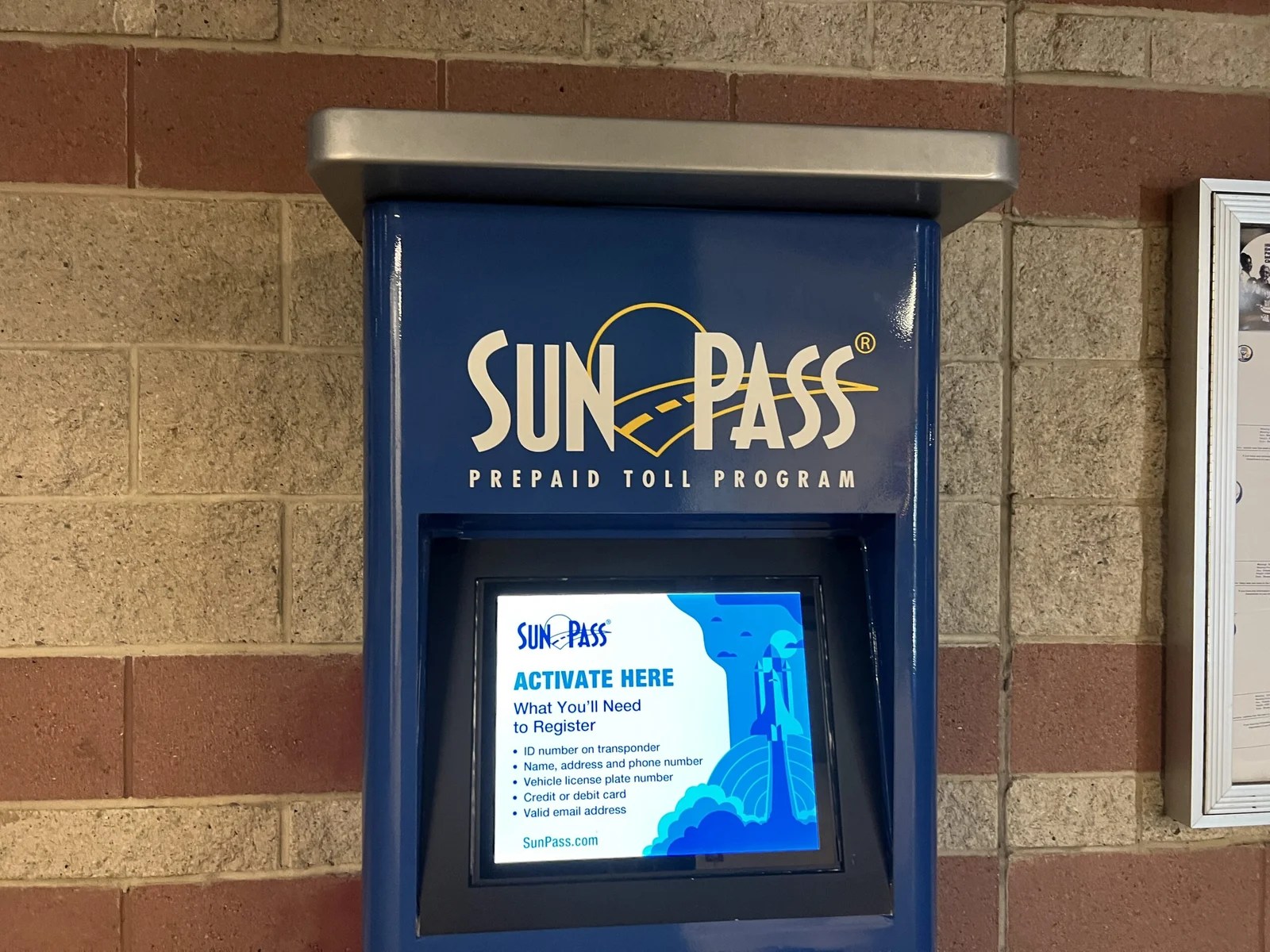
To activate a SunPass transponder, visit SunPass.com or use the official SunPass mobile app, create or sign in to your account, register your transponder number, add your vehicle and license plate details, and fund your prepaid account. You can also activate it by calling 1-888-865-5352 or visiting a SunPass walk-in center.
Drivers across the United States use electronic toll systems to pay road, bridge, and express lane charges without stopping to pay cash. In Florida, SunPass is the state’s prepaid toll program. It lets drivers pay eligible tolls electronically, including on Florida’s Turnpike and other participating toll facilities. Before using a new SunPass device, you should confirm that it is active, linked to the correct vehicle, and supported by a funded account.
Activating a SunPass transponder is usually a simple online task. You need the transponder number, your vehicle and license plate information, and a valid payment method or another supported way to add funds. The exact steps can vary depending on whether you purchased a SunPass PRO portable transponder or a SunPass Mini sticker.
This guide explains how to activate SunPass step by step, how to check your account, how to handle common errors, and how to avoid unexpected toll charges. It also covers important differences between SunPass devices, including why removing a SunPass Mini sticker from a windshield can make it unusable.
What Does It Mean to Activate a SunPass Transponder?
Activating a SunPass transponder means linking the device to an eligible SunPass account so the toll system can associate its electronic identifier with your payment account and registered vehicle. The device is not simply ready for toll use because you purchased it or placed it on the windshield.
SunPass is a prepaid electronic toll payment program operated by Florida’s Turnpike Enterprise under the Florida Department of Transportation. When a compatible transponder is read at a participating toll facility, the applicable charge is deducted from the linked account, subject to the facility’s rules and account status.
A complete setup involves more than entering a serial number. You should confirm the account is active, the correct transponder is listed, the vehicle information is accurate, and enough money is available to cover tolls. Proper installation is also necessary for the device to be read reliably.
Source: i.ebayimg.com
Account activation
Registers your device and establishes the account used to pay toll charges.
Vehicle registration
Links the appropriate vehicle and license plate information to the account.
Account funding
Provides the prepaid balance needed to pay tolls.
Physical installation
Places the transponder where the toll system can read it, following the instructions for the exact model.
Do You Need to Activate a New SunPass?
Yes. A newly purchased transponder generally must be activated and associated with an account before you rely on it for electronic toll payment. Buying the device at a retail store does not necessarily complete account registration.
If you already have a SunPass account, sign in and look for the option to add or manage a transponder. If you are a new customer, follow the official account enrollment process. If a seller or service center has already completed the setup, verify the device status rather than creating a duplicate account.
New customer
Create a SunPass account and follow the prompts to register the transponder and vehicle.
Existing customer
Sign in to your current account and add the new device if it is not already listed.
What You Need Before Activating SunPass
Gather your information before starting the activation process. Having the correct details on hand can reduce errors and help you complete registration without repeatedly leaving the page.
The official SunPass enrollment process requests vehicle and license plate information and payment information. You should also have the transponder number available, since this identifies the particular device you want to add to the account.
Use the official SunPass website or app when entering personal and payment information. Avoid entering account credentials through links in unsolicited messages, and never share your password or complete payment card details with someone claiming to offer unofficial activation assistance.
Source: i.pinimg.com
SunPass transponder
Have your new SunPass PRO, SunPass Mini, or other supported device ready.
Transponder number
Locate the device number on its label, packaging, or documentation. Enter the number exactly as shown.
Vehicle information
Prepare the vehicle’s make, model, year, and other requested details.
License plate details
Check the plate number and issuing state or jurisdiction before submitting the registration.
Payment method
Have a supported credit card, debit card, bank account, or other accepted funding method available.
Account access
If you already have an account, confirm that you can sign in or recover your username or password.
Where Can You Find the SunPass Transponder Number?
The transponder number identifies the physical device, but its location can differ by model. Check the label on the transponder and the original packaging or instructions. Some devices display a printed identifier on the back or another marked surface.
Do not confuse the transponder number with your account number, license plate number, or a barcode that serves another purpose. If the number is unclear or the label is damaged, consult the official SunPass website or call customer service before guessing.
Check the device
Look for the printed identifier and follow the instructions supplied with your model.
Check the packaging
Compare the number on the device with any label or registration information included in the package.
Confirm uncertain numbers
Contact SunPass if the identifier is unreadable or does not match the registration screen.
How to Activate SunPass Transponder Online
The official SunPass website is a practical starting point for most drivers. It provides access to account enrollment and management, allowing you to register a device, add vehicle information, and manage prepaid funds.
Website layouts can change, so the names and positions of individual buttons may differ from the instructions below. Follow the current prompts on SunPass.com, and make sure you are using the official website before entering personal information.
Source: floridasturnpike.com
Step 1: Open the official website
Visit https://www.sunpass.com using a secure browser connection. Check the domain carefully before signing in or submitting payment details.
Step 2: Create an account or sign in
New customers should follow the private-account enrollment process for personal vehicles. Existing customers should use their current login details.
Step 3: Enter the transponder details
Choose the relevant option to add or register a device. Enter the transponder number as printed on the unit or its supplied label.
Step 4: Register the vehicle
Enter the requested vehicle details and license plate information. Check every character, especially similar-looking letters and numbers.
Step 5: Add a payment method
Provide an accepted payment method and complete the account funding steps shown on the screen.
Step 6: Review the information
Check the transponder number, vehicle, plate, and account details before submitting the form.
Step 7: Confirm activation
Look for an on-screen confirmation and check the account dashboard to see whether the transponder is listed and active.
How Much Money Should You Add?
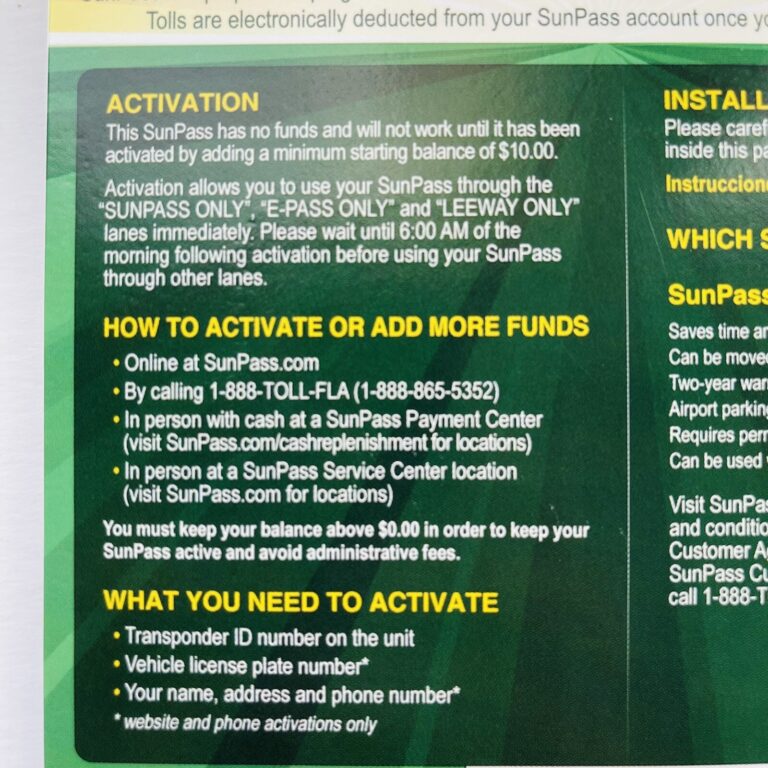
SunPass prepaid accounts require an initial funding amount. Florida tourism guidance states that at least $10 must be added when activating a prepaid SunPass account. Check the current instructions and the amount displayed during enrollment, since account terms and payment options can change.
Choose an amount that fits your planned travel rather than assuming the minimum will cover every trip. The required balance is not the same as the price of the physical transponder, and your actual toll charges depend on the roads and facilities you use.
If you expect to use toll roads regularly, review the available automatic replenishment option. If you prefer to control each payment yourself, check the manual funding options and monitor the balance before traveling.
Initial deposit
Follow the current minimum funding requirement shown by SunPass during account setup.
Planned trips
Estimate the tolls for your route and maintain enough money to cover them.
Low balance
Review your balance and replenish the account before using toll lanes if funds are running low.
How Do You Know Online Activation Worked?
The clearest initial sign is a successful confirmation from SunPass, followed by the transponder appearing in your account with an active status. Verify that the correct vehicle and license plate are associated with the device and that the account has sufficient funds.
An order receipt alone does not always establish that every registration step is complete. If the account still shows a pending or inactive status, use the account’s current instructions or contact customer service before relying on the device for toll payment.
Status is active
The account identifies the transponder as active rather than pending, inactive, or otherwise restricted.
Vehicle details are correct
The registered license plate and vehicle information match the vehicle you intend to use.
Funds are available
The account shows a balance sufficient for your intended toll travel.
How to Activate SunPass Using the Mobile App
You can also use the official SunPass mobile app to manage your account and complete supported activation tasks. This option can be convenient when you have your device and vehicle information with you but do not want to use a desktop computer.
Download the official app through your device’s trusted app store. Verify the publisher and app details before installing it, particularly if a search produces unofficial toll payment or account management apps.
Source: i0.wp.com
Step 1: Install the official app
Use your phone’s official app store to locate the SunPass app and verify its publisher.
Step 2: Sign in or enroll
Open the app and sign in to your existing account or follow the new-customer enrollment prompts.
Step 3: Find device management
Look for the current option to add a transponder, register a device, or manage account vehicles.
Step 4: Enter the required details
Provide the transponder number, vehicle information, and license plate details requested by the app.
Step 5: Complete funding
Add the required prepaid balance using an accepted payment method.
Step 6: Verify the result
Review the transponder status, account balance, and registered vehicle information before traveling.
What If the App Does Not Let You Activate the Device?
First, confirm that the app is current and that your phone has a working internet connection. Sign out and sign back in if needed, but avoid repeatedly submitting the same registration or payment request when the previous attempt may still be processing.
If the app cannot find your device or does not offer the required activation option, use the official website or contact SunPass. You should not assume that the device is active simply because it appears in an order history or because the app opens without an error.
Check the connection
Make sure your device can reach the internet and that the app is not displaying a service error.
Review the account
Confirm that you are signed in to the account intended to manage the transponder.
Avoid duplicate payments
Check the transaction history before submitting another payment after an unclear result.
How to Activate SunPass by Phone or in Person
If you cannot complete activation online, SunPass offers telephone assistance and walk-in service. These options can help when you have a registration problem, need help locating the transponder number, or prefer assistance with account enrollment.
The official Florida’s Turnpike SunPass information page lists 1-888-865-5352 as the customer service number. You can also use the official SunPass website to locate a walk-in center and review its current hours before visiting.
Source: m.media-amazon.com
Telephone activation
Call 1-888-865-5352 and follow the prompts or ask the representative how to activate your particular transponder.
Walk-in service
Find an official SunPass walk-in center and confirm its current operating hours and services before traveling there.
Information to prepare
Have the device, transponder number, vehicle and plate details, and required payment information available.
Confirmation
Ask whether the device is active, whether the vehicle is registered correctly, and whether the prepaid balance is sufficient.
What Should You Ask Customer Service?
Be specific about the issue so the representative can check the right part of your account. If you purchased a device recently, explain whether you are registering it for the first time or trying to resolve an activation that appears incomplete.
For an inactive or malfunctioning device, ask about its recorded status and what you need to do before using it again. If you suspect that an account has been charged incorrectly, provide the relevant transaction details and request an explanation.
Device status
Ask whether the transponder is active and eligible for use.
Vehicle registration
Confirm that the correct license plate and vehicle are listed.
Account balance
Ask whether the account has enough funds and whether any payment remains pending.
Next steps
Request clear instructions if the transponder needs replacement, correction, or further registration.
SunPass PRO vs. SunPass Mini: Which One Needs Activation?
Both SunPass PRO and SunPass Mini devices require the appropriate account setup before you rely on them for electronic toll payment. Their main practical difference is how they attach to a vehicle and whether they can be moved between vehicles.
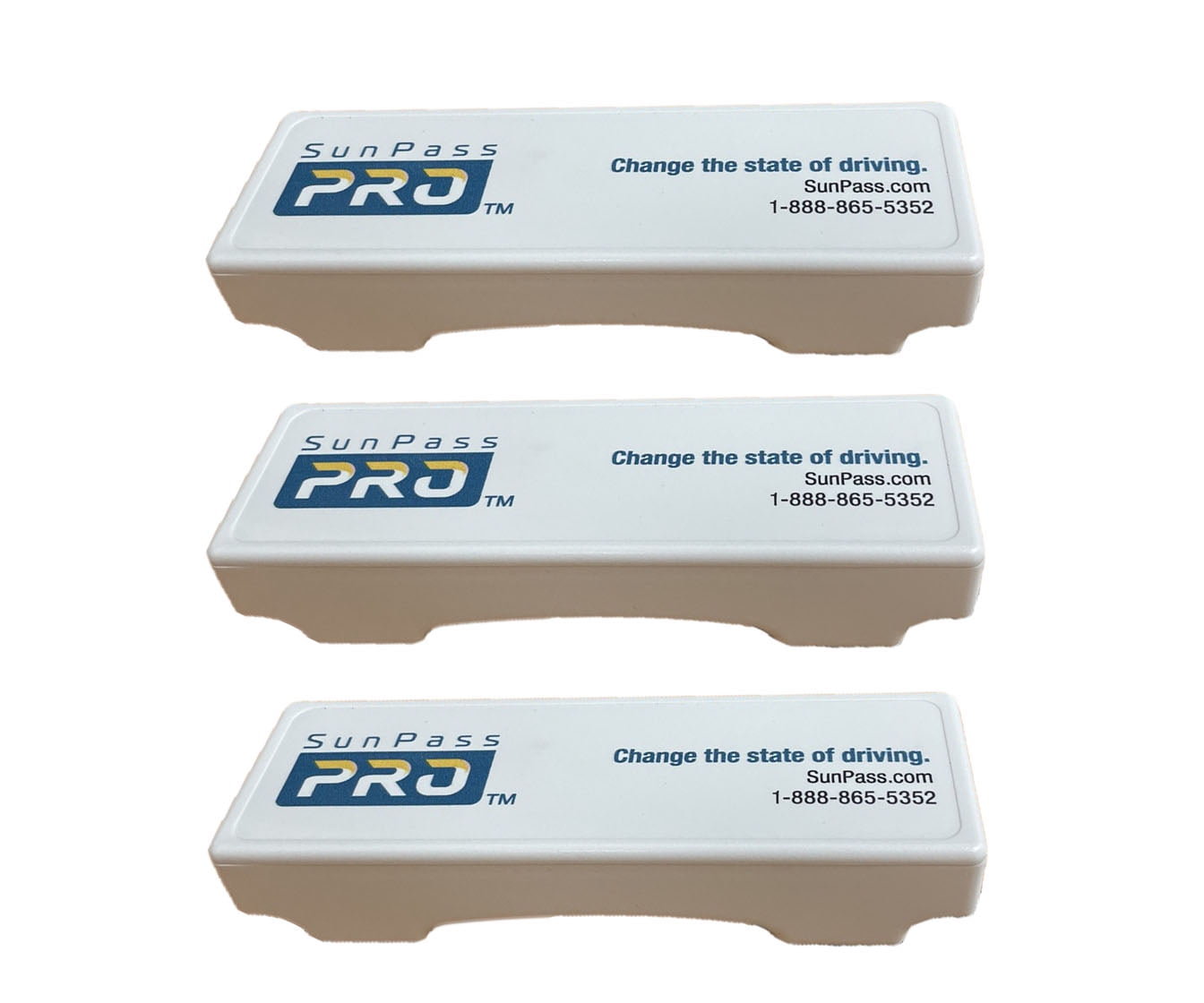
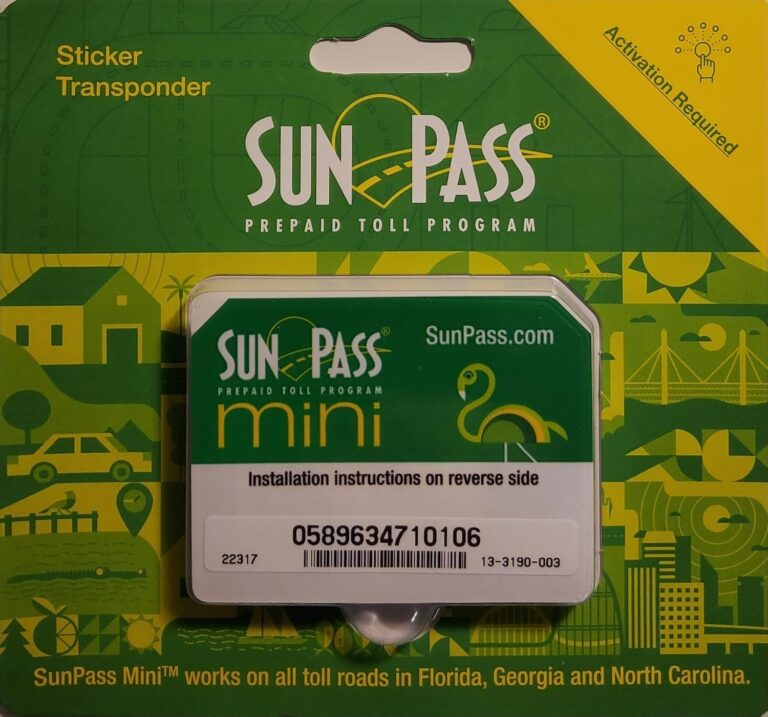
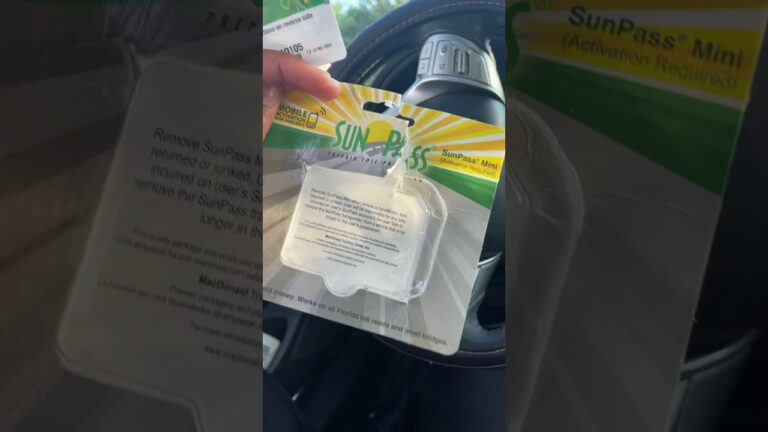
The SunPass PRO is a portable transponder designed to be moved between eligible vehicles. The SunPass Mini is a sticker transponder intended to stay attached to one vehicle’s windshield. Removing a Mini can damage it or make it unusable, so it should not be treated like a reusable portable device.
Choose the correct registration and mounting process for the model you own. If you already have a SunPass account, check whether the device is listed and whether the vehicle information matches your intended use.
Source: i5.walmartimages.com
SunPass PRO
A portable device that can be transferred between eligible vehicles when the account and vehicle details are managed correctly.
SunPass Mini
A windshield sticker intended for permanent installation on one vehicle. It is not designed for repeated removal and reattachment.
External transponder
Some vehicle models may need a compatible external device because of windshield design or other installation requirements.
Can You Move an Activated SunPass PRO to Another Car?
The portable SunPass PRO can be moved between eligible vehicles, but you should manage the account and registered vehicle information correctly. Check the current SunPass rules for adding vehicles and for how toll charges are associated with registered plates.
Before moving the device, review the registration information in your account. After the transfer, make sure that the vehicle using the transponder is covered by the applicable account setup. When using a rental car, check the rental company’s toll terms and the SunPass instructions for registering the vehicle and dates of use.
Do not assume that a portable device can be shared without any account updates or that every vehicle has the same windshield mounting requirements.
Check the new vehicle
Confirm that the vehicle and plate details are registered as required.
Move the portable unit carefully
Follow the manufacturer’s mounting instructions and secure the device in the correct position.
Do not transfer a Mini sticker
A removed Mini sticker may no longer work and is not designed to be reused on another vehicle.
Does SunPass Work on Every Toll Road?
No electronic toll program should be assumed to work at every toll facility in the country. SunPass acceptance depends on the specific road operator and the program’s interoperability arrangements.
Florida’s Turnpike information identifies SunPass acceptance across several states and describes broader E-ZPass network use for SunPass PRO. Check the current official toll map and compatibility information for your planned route, especially if traveling outside Florida.
Florida travel
Check that the facility accepts SunPass and follow the lane signs.
Out-of-state travel
Confirm current acceptance for your device model and the specific toll operator.
Rental vehicles
Review the rental company’s toll policy and the account’s vehicle registration requirements.
How to Install Your SunPass After Activation
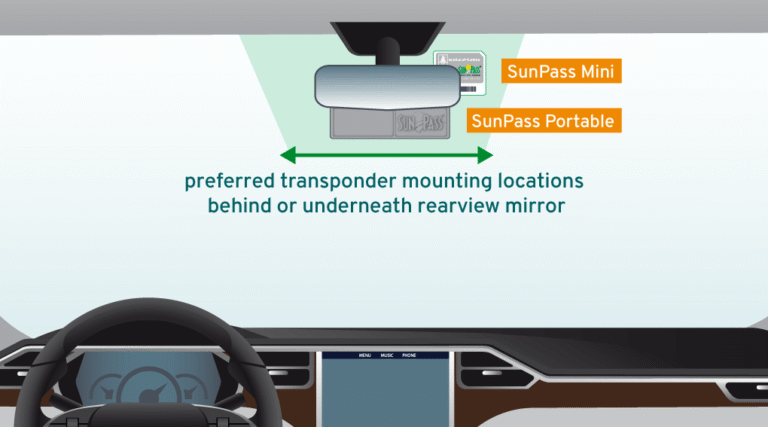
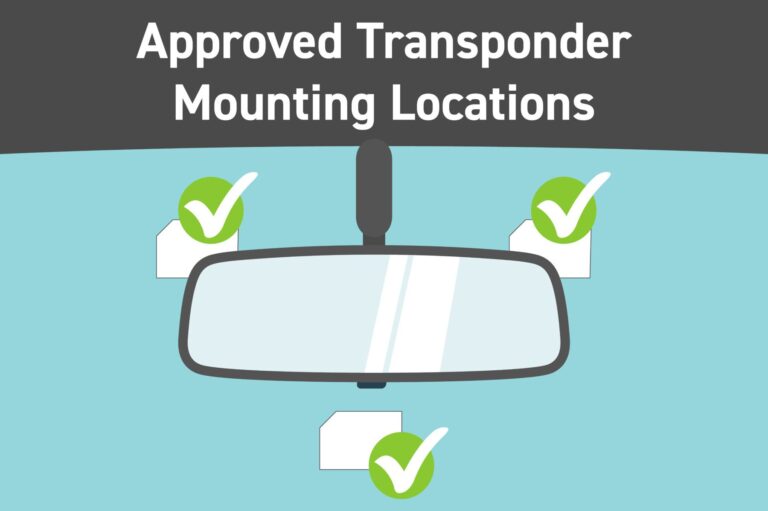
Correct installation helps the toll system read your transponder. Even a properly activated device can fail to register consistently if it is placed in the wrong position or mounted on a windshield that interferes with electronic signals.
Read the installation sheet supplied with your specific model. SunPass provides windshield installation guidance because some vehicles have special windshield materials that can affect transponder readings. If your vehicle has a special solar-tint strip or another unusual windshield design, follow the official instructions rather than guessing.
For many vehicles, the transponder is installed on the inside of the windshield near the rearview mirror, in the location specified by SunPass. Some vehicles may require an external transponder. If you are uncertain, contact the vehicle dealer or SunPass customer service.
Source: i.ebayimg.com
Clean the mounting area
Prepare the windshield according to the device instructions before attaching the transponder.
Follow the correct placement
Use the designated windshield area and keep the unit clear of prohibited tint or coating zones.
Keep the device secure
Ensure the unit is attached correctly and does not obstruct the driver’s view.
Check special windshields
Ask the vehicle dealer or SunPass whether your model needs a different mounting position or external device.
Can You Test a SunPass Transponder at Home?
You can check the account status, vehicle registration, and balance at home, but these checks do not prove that a toll reader will detect the physical device. Do not assume that a light, sound, or other feature is present unless the instructions for your model say so.
A reliable practical check is to confirm the account setup first and then review your toll activity after using an eligible toll facility. If the expected transaction does not appear, check the posting time and account records, then contact SunPass if the problem remains unresolved.
Before travel
Verify the account status, registered plate, device details, and available balance.
After a toll trip
Review your account for the expected transaction when it becomes available.
If no transaction appears
Do not assume the trip was free. Check the toll operator’s payment process and contact customer service if necessary.
Common SunPass Activation Problems and How to Fix Them
Most activation problems can be narrowed down by checking the account status, transponder number, vehicle details, and payment record. Start with the issue that matches the error message rather than repeating the entire enrollment process.
If the website or app reports a pending payment, wait for the transaction status to update and check your payment history before trying again. Multiple submissions may create confusion or duplicate payment attempts.
If the device is listed as inactive, defective, or otherwise restricted, follow the status-specific instructions from SunPass. The customer agreement says that a malfunctioning transponder must not be used for electronic toll payment until the issue is addressed.
Source: i.pinimg.com
The transponder number is rejected
Check the printed identifier carefully and compare it with the number entered during registration. Contact SunPass if the number still fails.
The account is not active
Review the enrollment status and complete any missing registration or funding step shown by the official system.
The payment fails
Check whether the payment method is supported, the entered details are correct, and the transaction has been declined or remains pending.
The vehicle details are wrong
Use the account’s vehicle management feature to correct the registration details before relying on the device.
The transponder is not detected
Check the mounting position and vehicle compatibility. Contact SunPass if the device still fails to register toll activity.
The device is damaged
Stop relying on the unit, check its status, and ask SunPass about replacement options and any applicable warranty.
What If Your SunPass Is Active but Tolls Are Not Deducted?
An active account does not guarantee that every toll transaction will appear immediately. Posting times can vary, and a particular facility may have its own processing rules. Check the account after allowing the relevant transaction time and confirm that the vehicle used the correct toll lane.
If the charge still does not appear, review the vehicle and plate details, the device status, and any account notifications. Contact SunPass or the toll facility involved to determine how the trip was recorded and whether payment is due through another process.
Keep records of the travel date, approximate time, location, and any account messages. These details can help customer service identify the transaction without requiring you to guess what happened.
Review recent activity
Check whether the toll charge has posted or whether an account notice explains a delay.
Confirm the route
Verify that the toll facility accepts your device and that you used the appropriate lane.
Seek an official answer
Contact the relevant toll operator if the transaction remains unclear or a payment deadline may apply.
What Should You Do If Your Transponder Is Inactive?
Do not rely on an inactive transponder for electronic toll payment. The SunPass customer agreement directs customers with inactive devices to stop using them for that purpose and avoid designated electronic toll lanes until the status is resolved.
Check your account for the reason and follow the instructions given by SunPass. If the status is unclear, contact customer service before using the device again. You may need to correct account information, resolve a funding problem, or arrange a replacement, depending on the cause.
Stop relying on the device
Use an accepted alternative payment method according to the toll facility’s signs and rules.
Check the account
Look for notices, payment issues, or instructions related to the inactive status.
Resolve the issue
Follow official guidance and verify that the status is active before using the transponder again.
How to Keep Your SunPass Account Ready for Future Trips
Once activation is complete, a few simple account checks can help prevent payment problems. Make sure your contact information stays current, monitor the prepaid balance, and review vehicle details whenever you change cars or license plates.
SunPass offers manual funding and an automatic replenishment option called Easy Pay. With automatic replenishment, the account can be refilled using the saved payment source when the balance reaches the applicable low-balance threshold, subject to the program’s current terms.
If you prefer manual control, check the account before each trip and add money when needed. The right approach depends on how often you use toll roads and how you prefer to manage payments.
Source: i0.wp.com
Monitor the balance
Check available funds before a long drive or a trip with multiple toll facilities.
Review account activity
Look for unexpected charges, failed payments, or tolls that do not match your travel.
Update vehicle details
Make sure the registered plates and vehicles remain accurate.
Protect account access
Use a strong password, protect your login details, and access the account through official channels.
Check compatibility
Review the official toll map before using SunPass outside its established service area.
Manual Funding or Easy Pay?
Manual funding gives you direct control over when you add money, but it requires you to remember to check the balance. Easy Pay can reduce the chance of running low by replenishing the account automatically under the program’s current rules.
Neither option removes the need to review your account. A saved payment method can expire, a payment can be declined, and unexpected travel can increase the amount you need. Check the current SunPass terms before choosing or changing a funding method.
Manual funding
May suit occasional toll users who prefer to review each deposit and manage the balance themselves.
Automatic replenishment
May suit frequent toll users who want the account refilled when it reaches the applicable threshold.
Frequently Asked Questions
Q
How long does it take to activate a SunPass transponder?
The online or app registration process may take only a short time when you have all the required information ready. However, the time needed for the account and device status to update can vary. Follow the confirmation shown by SunPass, and do not assume the transponder is active if the account still shows a pending or inactive status.
Q
Can I activate my SunPass transponder without an online account?
Yes. SunPass provides telephone assistance and walk-in service for customers who need help activating a device. Call 1-888-865-5352 or consult the official website for current walk-in center locations and hours. You will still need to provide the information required to register the transponder and fund the account.
Q
Do I need to add money when I activate SunPass?
A SunPass prepaid account requires an initial funding amount. Florida tourism guidance identifies $10 as the minimum amount to add during activation. Check the current SunPass enrollment instructions for the amount and payment options that apply to your account. The deposit is separate from the cost of buying the physical transponder.
Q
Can I use my SunPass immediately after activating it?
Use the transponder only after confirming that its account status is active, the correct vehicle information is registered, and sufficient funds are available. Install the device according to its instructions and check that your planned toll facility accepts it. If the account displays a pending or inactive status, contact SunPass before relying on it.
Q
Can I transfer my SunPass Mini sticker to another vehicle?
No. A SunPass Mini sticker is designed to remain attached to one vehicle’s windshield. Removing it can render the transponder unusable, and the sticker is not designed for repeated transfer. If you need a device that can move between eligible vehicles, check whether SunPass PRO meets your needs.
Q
Why is my SunPass transponder not working after activation?
Possible causes include an inactive account, insufficient funds, incorrect vehicle information, a mounting problem, or a windshield that interferes with the device’s reading. Check the transponder status, account balance, and registered plate first. If the device is defective or remains unreadable, stop relying on it for toll payment and contact SunPass customer service.
Q
What is the official SunPass activation phone number?
The SunPass customer service number listed by Florida’s Turnpike is 1-888-865-5352. Use the official SunPass website to confirm contact information and service availability before calling. Have your transponder number and account information ready, but never disclose your password to a caller.
Q
Can I use SunPass outside Florida?
SunPass acceptance outside Florida depends on the device model and the toll operator. Florida’s Turnpike lists SunPass acceptance in several other states and describes wider E-ZPass network compatibility for SunPass PRO. Check the current official compatibility information for your exact route before traveling.
✦ Wrapping Up
Conclusion
Activating a SunPass transponder is a straightforward process when you have the correct device number, vehicle information, and payment details. You can complete the setup through SunPass.com or the official mobile app, or ask for help by phone or at a walk-in center.
After registering the device, check that the account shows an active status, the correct vehicle and license plate are listed, and the prepaid balance is sufficient. Install the transponder according to its model-specific instructions, and verify acceptance when planning trips outside Florida.
If activation fails, do not keep trying random settings or assume that a purchase receipt proves the device works. Check the account and payment status, correct any registration errors, and contact SunPass if the problem remains. Taking these steps before driving onto a toll road can help you avoid missed payments and unexpected charges.
💡 Key Takeaway
Visit https://www.sunpass.com, sign in or create an account, register your transponder and vehicle, add the required prepaid funds, and confirm that the device is active before using a SunPass toll lane.