How to Read OBD2 Codes Without Scanner: Safe Methods Explained
How to read OBD2 codes without scanner depends on the vehicle. On most modern OBD2 cars and trucks, you cannot reliably retrieve the complete diagnostic trouble code without a scan tool, compatible app, or built-in connected diagnostic service. Some vehicles may display limited warnings, support a manufacturer-specific key sequence, or report diagnostic information through a mobile app, but there is no universal scanner-free method.
The complete details are explained below. In this article, you will learn which scanner-free methods may work, why older check-engine-light flashing procedures are often confused with OBD2, how to check Chevy Silverado, Chevy Tahoe, GMC, Hyundai, and Toyota vehicles, and which unsafe methods you should avoid.
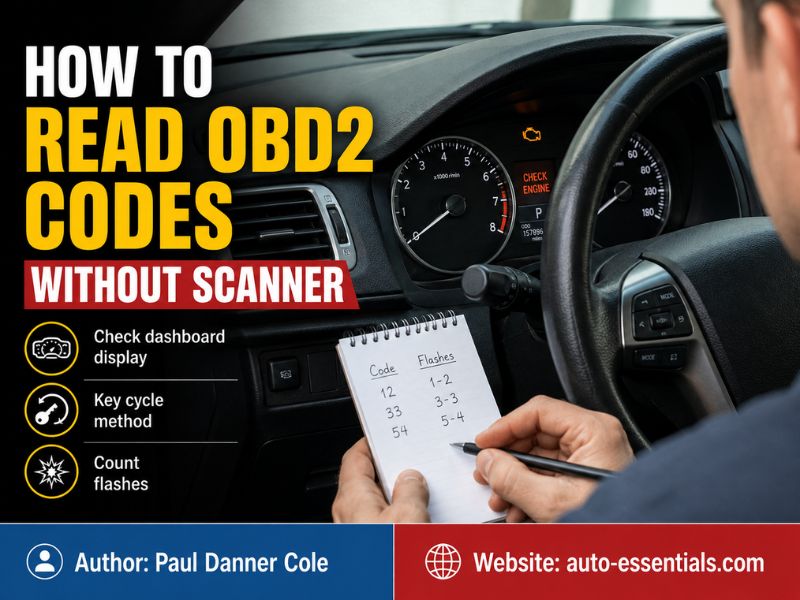
How to Read OBD2 Codes Without Scanner Tools
There is no standard button, pedal, or ignition-key sequence that displays OBD2 trouble codes on every vehicle.
The OBD2 system stores diagnostic trouble codes, commonly called DTCs, inside the vehicle’s computer. These codes are normally accessed by connecting a diagnostic device to the 16-pin Data Link Connector, or DLC, under the dashboard.
Government OBD guidance describes the DLC as the connection between the onboard computer and an OBD scanner, allowing the scanner to retrieve trouble codes and emissions-readiness information.
Without a scanner, your practical options are limited to information the vehicle voluntarily displays through its dashboard, infotainment system, connected-services app, or a manufacturer-specific diagnostic procedure.
The safest methods to try are:
- Check the dashboard message center.
- Check the manufacturer’s mobile app or connected-services account.
- Review the owner’s manual for an approved diagnostic display procedure.
- Observe the check engine light for its behavior, not as a complete code reader.
- Ask a repair shop or parts store to scan the vehicle.
A free scan performed by someone else still uses a scanner, but it allows you to obtain the code without purchasing one.
Can the Check Engine Light Show the Code?
The check engine light, also called the malfunction indicator lamp, tells you that the engine computer has detected a fault. On most current OBD2 vehicles, however, the light does not display the actual alphanumeric code.
A steady check engine light generally indicates that a fault has been recorded and should be diagnosed. A flashing check engine light often indicates a more serious condition, such as a severe misfire that may damage the catalytic converter.
The light’s behavior helps you judge urgency, but it usually cannot tell you whether the stored code is P0300, P0420, P0171, or another specific DTC.
Some older vehicles could flash codes through the malfunction indicator light after a particular diagnostic procedure. Those methods were more common on OBD-I vehicles and early manufacturer-specific systems. EPA material notes that manual code-reading methods were associated with older OBD-I systems, while standardized OBD access relies on diagnostic equipment connected to the vehicle.
Do not assume an online flash-code method applies to your modern OBD2 vehicle.
Key-Cycling Methods: Do They Really Work?
A key-cycling method involves turning the ignition between OFF and ON several times without starting the engine. On a small number of vehicles, this may cause diagnostic information to appear in the odometer display.
However, this is not a universal OBD2 function. It is a manufacturer-specific feature, and support varies by model, year, instrument cluster, and powertrain control system.
Randomly cycling the key is unlikely to damage the vehicle, but it may only display normal warning-light tests, mileage information, maintenance reminders, or a cluster self-test.
When a key method is supported, the exact timing and sequence matter. Use only a procedure listed in the owner’s manual or an official service document for your exact year and model.
A procedure that works on an older vehicle may do nothing on a newer version of the same model.
Can You Use the Gas and Brake Pedals?
Some online instructions recommend pressing the accelerator and brake pedals while turning the ignition on. This type of procedure has been used on certain vehicle platforms, but it is not a standard method for retrieving OBD2 codes.
On an unsupported vehicle, the pedal sequence may do nothing or activate a different calibration, maintenance, or electronic function.
Do not repeatedly experiment with random pedal and ignition combinations. Modern vehicles use electronic throttles, push-button ignition systems, immobilizers, and networked modules that may respond differently from older mechanical systems.
Check the owner’s manual before using any pedal-based procedure. If no diagnostic code-display method is documented, assume a proper diagnostic connection is required.
Do Not Bridge the OBD2 Connector Pins
You may find instructions telling you to connect two pins inside the OBD2 port with a wire, paper clip, or metal tool. This should not be attempted unless the exact factory service information for your vehicle specifically requires it.
The OBD2 connector contains power, ground, and communication terminals. Connecting the wrong terminals can blow a fuse, interrupt module communication, damage wiring, or harm an electronic control unit.
Paper-clip procedures were commonly associated with older diagnostic connectors and pre-OBD2 vehicles. They should not be treated as a universal method for modern cars and trucks.
A basic code reader is much less expensive than repairing a damaged vehicle communication network.
Check the Dashboard Information Display
Some vehicles show a general warning message in the driver information display when a system detects a fault.
You may see messages such as:
Engine power reduced, service emissions system, service stabilitrak, check hybrid system, or service engine soon.
These messages help identify the affected system, but they are not always the actual diagnostic code. The same dashboard message may be triggered by several different DTCs.
For example, an engine power warning could be related to the throttle body, accelerator pedal sensor, wiring, low voltage, airflow measurement, or another engine-control fault.
Treat the message as a starting point rather than a confirmed diagnosis.
Use a Manufacturer’s Connected-Services App
Some newer vehicles can report diagnostic information through a manufacturer’s smartphone app or online owner account.
This is the closest available option to reading vehicle faults without plugging in your own scanner. The vehicle uses its built-in communication system to send diagnostic information to the manufacturer’s service platform.
The amount of detail varies. Some systems provide a general health alert, while others may display open or historical DTC information.
Hyundai’s official connected vehicle service, for example, can report open and historical diagnostic trouble codes for supported vehicles through Bluelink and the MyHyundai account.
Chevrolet also provides vehicle-status and diagnostic information through supported connected services and the myChevrolet app, although available features depend on the vehicle and service plan.
A connected-services report may not include every powertrain, body, ABS, airbag, or manufacturer-specific code. A scan tool may still be necessary for complete diagnosis.
How to Read OBD2 Codes Without Scanner Chevy Silverado
Drivers searching for how to read OBD2 codes without scanner Chevy Silverado should first check the Silverado’s driver information center and the myChevrolet app.
A Silverado may display a warning message identifying the affected system, but most modern Silverado models do not provide a universal ignition-key procedure that displays all OBD2 codes on the dashboard.
For a supported connected vehicle, sign in to the myChevrolet app or Chevrolet owner account and look for Vehicle Status, Diagnostics, or a diagnostic report. Chevrolet states that compatible services can provide current diagnostic and vehicle-status information.
The report may tell you that the engine, transmission, emissions, braking, or another monitored system needs attention. Whether it shows the complete code depends on the model, connected-services plan, and available vehicle data.
If the Silverado has no active connected service, the most reliable method is connecting an OBD2 code reader to the port below the driver’s side dashboard.
Avoid attempting an older GM paper-clip procedure on an OBD2 Silverado. Older General Motors diagnostic connectors and modern 16-pin OBD2 ports are not the same system.
How to Read OBD2 Codes Without Scanner Chevy Tahoe
The answer for how to read OBD2 codes without scanner Chevy Tahoe is similar to the Silverado.
Start by checking the dashboard message center. A Tahoe may display a descriptive message such as a reduced-power, emissions, traction-control, or service-system warning.
Next, check the myChevrolet app or Chevrolet owner account if the vehicle supports connected diagnostics.
Older Tahoe models should be treated carefully because the model name covers vehicles from different diagnostic generations. A very early vehicle may use older manufacturer-specific methods, while a later Tahoe uses standard OBD2 communication.
For example, Chevrolet’s Tahoe owner information describes the OBD2 system as a computer-based emissions and fault-monitoring system and directs owners toward qualified diagnostic equipment when a fault remains.
Do not choose a procedure based only on the Tahoe name. Confirm the model year and connector type first.
If the vehicle has the standard trapezoid-shaped 16-pin port, use an OBD2-compatible method rather than an older OBD-I jumper procedure.
How to Read OBD2 Codes Without Scanner GMC Vehicles
When researching how to read OBD2 codes without scanner GMC, begin with the driver information center and the myGMC mobile app.
Modern GMC trucks and SUVs may display a general system warning on the dashboard. Supported connected services can also provide vehicle-health and diagnostic information through the owner account or app. GMC states that vehicle diagnostics can report information about key operating systems and indicate when service may be required.
However, dashboard messages and app alerts do not always replace a complete module scan.
A basic OBD2 reader normally accesses emissions and powertrain codes. A more advanced GMC-compatible scanner may also access the transmission, ABS, airbag, body control, suspension, four-wheel-drive, and other modules.
If the warning is not related to the check engine system, a basic code reader may report no codes even though another module has stored a fault.
For example, an ABS or airbag warning usually requires a scanner capable of communicating with that specific module.
How to Read OBD2 Codes Without Scanner Hyundai
For how to read OBD2 codes without scanner Hyundai, the most useful scanner-free option may be the MyHyundai with Bluelink app on supported vehicles.
Hyundai’s official Vehicle Diagnostics service can show reported open and historical diagnostic trouble codes associated with the vehicle. The MyHyundai app also includes a vehicle-health area that may display diagnostic information and maintenance alerts.
To check, sign in to your MyHyundai account, select the correct vehicle, and open the vehicle health or diagnostics section.
The vehicle must support the service, be properly enrolled, and have the required connectivity. Older Hyundais and vehicles without an active compatible service may not provide remote diagnostic data.
Hyundai key and pedal procedures found online are often model-specific. Do not assume they work across the entire Hyundai lineup.
When the app does not show the exact DTC, use a Hyundai-compatible OBD2 scanner or have the vehicle scanned professionally.
How to Read OBD2 Codes Without Scanner Toyota
Drivers searching for how to read OBD2 codes without scanner Toyota should understand that most modern Toyota vehicles do not offer a universal dashboard procedure for displaying complete engine DTCs.
Check the multi-information display for system warnings and review the owner’s manual for your exact model. The warning message may identify a system, but it may not provide the P-code stored in the engine computer.
Toyota owner manuals describe the OBD system as monitoring emissions-related operation and generally direct owners to a Toyota dealer or qualified service provider when the system requires diagnosis.
Some older Toyota diagnostic systems used connector terminals and flashing warning lights, but those methods should not be applied to a modern OBD2 connector without exact factory instructions.
Toyota vehicles may store faults across multiple systems, including the engine, hybrid system, ABS, airbag, transmission, steering, and body electronics. Reading all of them may require a Toyota-capable scan tool rather than a basic generic reader.
What Information Can You Get Without the Exact Code?
Even when you cannot retrieve the code, you can collect useful diagnostic clues.
Start by observing which warning lights are on. Note whether the check engine light is steady or flashing and whether other lights, such as ABS, traction control, battery, oil pressure, or temperature, are illuminated.
Record when the problem happens. Useful details include whether the engine is cold or warm, whether the vehicle is accelerating or idling, and whether the issue appears after refueling or during wet weather.
Listen for unusual noises and note changes in power, fuel economy, shifting, starting, vibration, smoke, or exhaust smell.
Check simple items such as the fuel cap, battery terminals, visible wiring connectors, fluid levels, and damaged vacuum hoses. Do not touch hot or moving engine parts.
These observations will not replace the DTC, but they can help a technician diagnose the vehicle more efficiently.
Why a Code Is Not a Complete Diagnosis
Retrieving a code is only the first step.
A code identifies the system or condition that the computer detected. It does not automatically identify the exact part that must be replaced.
For example, a lean-condition code may be caused by an intake leak, low fuel pressure, a contaminated airflow sensor, an exhaust leak, or incorrect sensor information.
An oxygen-sensor code does not always mean the oxygen sensor itself has failed. Wiring damage, exhaust leaks, fuel-system problems, and catalytic-converter issues can produce related codes.
Replacing parts based only on the code description can waste money and leave the original problem unresolved.
Proper diagnosis may require freeze-frame data, live sensor readings, wiring tests, fuel-pressure measurements, smoke testing, and manufacturer service information.
The Cheapest Reliable Way to Read the Codes
If your vehicle does not provide code information through its app or dashboard, a basic OBD2 reader is usually the cheapest reliable solution.
A wired reader can retrieve standard engine and emissions codes without requiring a subscription. A Bluetooth adapter can send the information to a smartphone app, although the adapter is still technically a scanner.
Another option is asking an automotive parts store or repair shop whether it offers code reading.
Before anyone clears the codes, record the stored, pending, and permanent codes. Also save the freeze-frame data and readiness-monitor status when available.
Clearing the check engine light before recording this information can remove useful evidence and make intermittent problems harder to diagnose.
When You Should Stop Driving
A steady check engine light does not always require immediately stopping the vehicle, but you should arrange diagnosis soon.
Stop driving or reduce operation when the check engine light flashes, the engine shakes severely, oil-pressure warning appears, temperature rises into the danger zone, or the vehicle loses significant power.
A flashing check engine light can indicate a misfire severe enough to damage the catalytic converter.
Strange mechanical noises, burning smells, smoke, brake warnings, or unstable steering should also be treated seriously.
When safety is uncertain, shut the vehicle off in a safe location and arrange professional assistance.
Final Thoughts
So, how to read OBD2 codes without scanner equipment depends on the vehicle’s built-in features. Most modern cars and trucks do not provide a universal key, pedal, or flashing-light method for displaying complete OBD2 codes.
A Chevy Silverado, Chevy Tahoe, or GMC may provide diagnostic status through its connected owner app. A supported Hyundai may display open or historical DTCs through MyHyundai with Bluelink. A modern Toyota generally requires an OBD2-compatible diagnostic connection for the exact code, even when the dashboard identifies the affected system.
Check the owner’s manual and connected-services app first, but avoid bridging OBD2 pins or using an unverified ignition procedure. When the exact DTC is unavailable, a basic scanner or professional scan remains the safest and most reliable method.