Does Car Have to Be On to Read Codes? Complete Scanner Guide
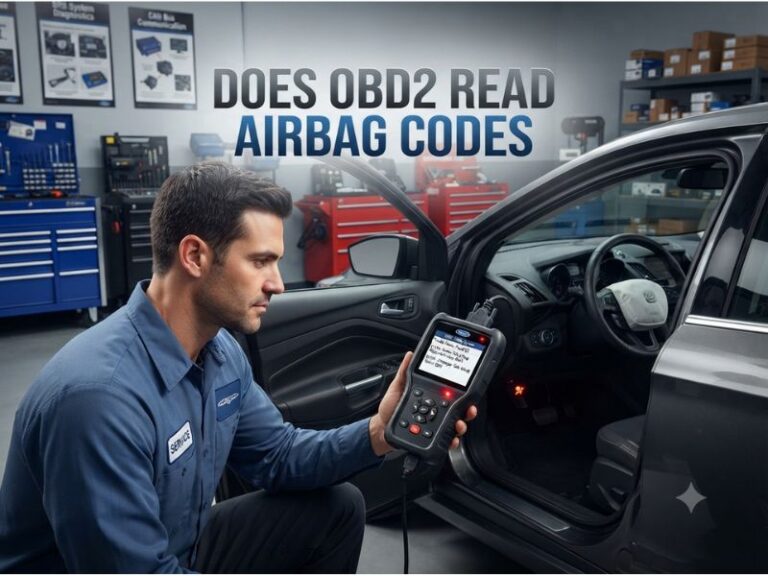
Does car have to be on to read codes? The engine usually does not need to be running, but the vehicle’s ignition must normally be switched to the ON position. This powers the control modules and allows the OBD2 scanner to communicate with the vehicle’s computer.
For most basic code reading, connect the scanner with the vehicle off, switch the ignition to ON without starting the engine, and select “Read Codes.” The engine may need to run only when checking live data, diagnosing certain performance problems, or following a scanner-directed test.
The complete details are explained below. You will learn the difference between ignition-on and engine-running modes, how to use a scanner on key-start and push-button vehicles, and what to do when the reader cannot connect.
Does Car Have to Be On to Read Codes?
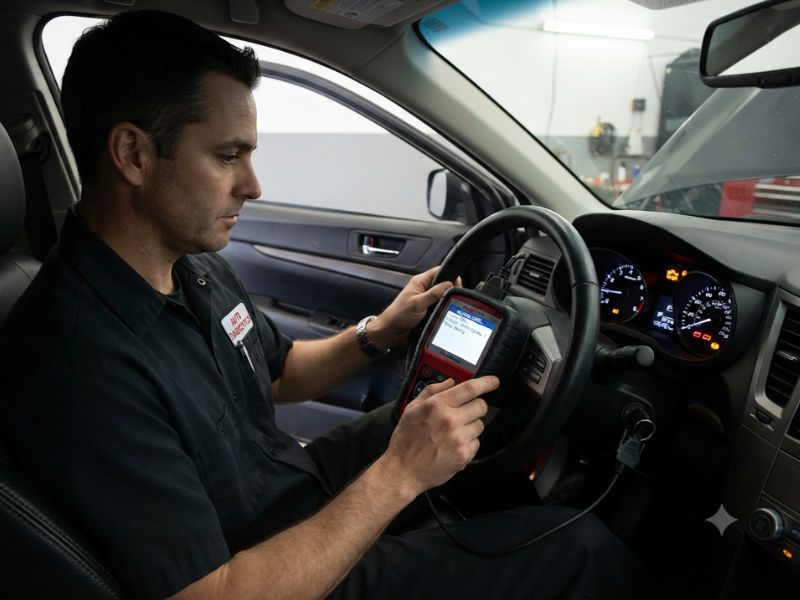
The vehicle’s electrical system usually needs to be on, but the engine itself normally stays off when reading stored diagnostic trouble codes.
The recommended setup is called Key On, Engine Off, often shortened to KOEO.
In this mode:
- The ignition is switched on.
- Dashboard warning lights are illuminated.
- Vehicle control modules receive power.
- The engine is not running.
- The scanner can communicate with the onboard computer.
This setting is suitable for reading most:
- Stored codes
- Pending codes
- Permanent codes
- Freeze-frame information
- Emissions readiness monitors
- Vehicle identification information
If the ignition is completely off, the scanner may power on through the diagnostic port but fail to communicate with the vehicle’s modules.
What Does Ignition ON Mean?
The ignition ON position activates the vehicle’s electrical systems without starting the engine.
On a traditional key-operated vehicle, turn the key forward until the dashboard warning lights illuminate. Stop before reaching the engine-cranking position.
You may see the following lights during the normal dashboard bulb test:
- Check Engine Light
- Battery warning
- Oil-pressure warning
- ABS warning
- Airbag warning
These lights appearing with the engine off do not necessarily indicate new problems. Some remain illuminated because the engine is not running.
On a push-button vehicle, press the start button without pressing the brake or clutch pedal. Some vehicles require two button presses to enter full ignition-on mode.
Consult the owner’s manual if the dashboard does not fully activate.
Should You Connect the Scanner With the Car Off?
Yes. For most basic code readers, it is best to connect the scanner while the ignition and engine are off.
Use this order:
- Park the vehicle safely.
- Apply the parking brake.
- Turn off the engine and accessories.
- Locate the OBD2 port.
- Plug in the code reader.
- Switch the ignition to ON.
- Select “Read Codes.”
Connecting the scanner first helps it establish communication as the vehicle’s control modules power up.
It also reduces the risk of a loose connection while the engine is running.
Many scanners can technically be connected to a running vehicle, but beginners should follow the safer and simpler ignition-off connection method unless the device instructions say otherwise.
Does the Engine Need to Run to Read Stored Codes?
No. Stored diagnostic codes can usually be read with the ignition on and the engine off.
Stored codes are already saved inside the vehicle’s computer memory.
The scanner only needs to establish communication with the correct module to retrieve them.
Examples of common stored codes include:
- P0301 – Cylinder 1 misfire detected
- P0171 – System too lean
- P0420 – Catalyst efficiency below threshold
- P0455 – Large evaporative emissions leak
- P0700 – Transmission control system warning
The problem may have occurred during an earlier drive, but the code remains available after the engine is turned off.
When Does the Engine Need to Be Running?
The engine may need to run when you want to observe live information or test a problem under operating conditions.
Examples include:
- Engine RPM
- Fuel-trim readings
- Oxygen sensor activity
- Coolant temperature
- Mass airflow readings
- Ignition timing
- Misfire counters
- Charging voltage
- Transmission operating data
A scanner can only display meaningful engine-speed information when the engine is running.
Certain faults also appear only under specific conditions, such as idle, acceleration, operating temperature, or highway speed.
The scanner or repair procedure may instruct you to:
- Start the engine.
- Allow it to warm up.
- Hold a certain RPM.
- Switch accessories on or off.
- Perform a road test.
Follow those instructions carefully and keep the scanner cable away from pedals, steering components, belts, cooling fans, and other moving parts.
Can You Read Codes While the Car Is Running?
Yes, many OBD2 scanners can read codes while the engine is running.
However, starting the engine is normally unnecessary for retrieving stored codes.
Reading with the engine running may be useful when:
- The scanner requires it for a specific test.
- You are monitoring live data.
- The problem occurs only while running.
- You need to compare sensor readings.
- You are diagnosing idle or performance problems.
Do not operate a handheld scanner while driving.
For road-test data, securely mount the device or have a passenger operate it. A professional technician may also record data and review it after the drive.
How to Read Codes on a Key-Start Vehicle
For a vehicle with a traditional ignition key:
- Turn the vehicle off.
- Insert the scanner into the OBD2 port.
- Insert the ignition key.
- Turn the key to ON.
- Do not crank the engine.
- Wait for the scanner to connect.
- Select “Read Codes.”
The dashboard should illuminate, and the scanner should communicate with the engine computer.
If it says “Turn Ignition On,” move the key fully into the ON position rather than leaving it in the accessory position.
The accessory position may power the radio and some electronics without activating the engine control module.
How to Read Codes on a Push-Button Car
Push-button ignition systems can be slightly confusing because there is no visible key position.
The usual procedure is:
- Do not press the brake or clutch pedal.
- Press the start button once.
- Press it again if necessary.
- Confirm that the dashboard warning lights are on.
- Connect or operate the scanner.
Many vehicles use the first press for accessory mode and the second press for ignition-on mode.
If you press the brake or clutch while pushing the button, the engine may start.
Starting the engine is not usually harmful, but it is unnecessary for a basic scan.
Because procedures vary, check the owner’s manual for the correct ignition-on sequence.
Accessory Mode vs Ignition-On Mode
Accessory mode and ignition-on mode are not the same.
Accessory mode may power:
- Radio
- Infotainment system
- Charging ports
- Some interior electronics
However, it may not activate the engine, transmission, ABS, or airbag control modules.
Ignition-on mode powers the modules required for diagnosis.
A scanner may turn on in accessory mode because the OBD2 port has battery power, but it may show:
- No Link
- Unable to Communicate
- Ignition Off
- Connection Failed
Switching to full ignition-on mode often solves the problem.
Why Does the Scanner Power On When the Car Is Off?
The OBD2 port normally receives constant battery power through one of its terminals.
This allows many wired scanners to turn on as soon as they are connected, even when the ignition is off.
However, scanner power and module communication are separate issues.
The scanner may have enough power to illuminate its screen, but the vehicle computer may remain inactive until the ignition is switched on.
Therefore, a powered screen does not always mean the scanner is ready to read codes.
Can You Scan a Car With a Dead Battery?
Usually not.
The vehicle battery must provide enough power to activate the control modules and maintain communication.
A deeply discharged battery may cause:
- Scanner not turning on
- Communication failures
- Incorrect voltage-related codes
- Modules repeatedly restarting
- Incomplete scan results
Charge the battery or connect a suitable battery support device before scanning.
Avoid attempting diagnosis with unstable voltage because low battery power can create misleading communication, ABS, transmission, and body-module codes.
Can a Weak Battery Affect Code Reading?
Yes. A weak battery can affect scanner communication even when the dashboard lights appear normal.
Modern vehicles depend on stable voltage.
Low voltage may cause:
- No communication
- Module timeout errors
- Network communication codes
- Sensor reference-voltage problems
- Temporary warning lights
If several unrelated modules suddenly show voltage or communication faults, check the battery and charging system before replacing electronic components.
A battery can be strong enough to illuminate lights but too weak to maintain stable module operation.
Should You Turn Off Accessories Before Scanning?
Yes. Turn off unnecessary electrical accessories before reading codes.
These include:
- Headlights
- Climate control
- Heated seats
- Rear defroster
- Audio system
- Phone chargers
Reducing electrical load helps maintain stable battery voltage, especially when the engine is not running.
This is particularly important during long diagnostic sessions, software updates, coding, programming, or bidirectional testing.
A basic code scan normally takes little time, but switching off accessories remains a good practice.
Can You Read Codes With the Key Removed?
A scanner may turn on with the key removed, but most vehicles will not allow complete communication.
The OBD2 port may still supply power, while the engine computer remains asleep.
Some modules may briefly remain active after the vehicle is turned off, but this is not a reliable diagnostic state.
Use the proper ignition-on position when reading codes.
What If the Scanner Says “No Link”?
A “No Link” message means the scanner cannot communicate with the vehicle’s computer.
First, check the ignition position.
Make sure:
- The scanner is fully connected.
- The ignition is ON.
- The engine does not necessarily need to run.
- The dashboard warning lights are illuminated.
- The vehicle battery is charged.
If the scanner still cannot connect, possible causes include:
- Blown OBD2 port fuse
- Damaged diagnostic connector
- Bent connector terminals
- Unsupported vehicle
- Faulty scanner cable
- Outdated scanner software
- Vehicle network problem
Turn the ignition off, unplug the scanner, reconnect it, and repeat the procedure.
What If the Scanner Says “No Codes Found”?
“No Codes Found” is different from “No Link.”
“No Link” means the scanner could not communicate.
“No Codes Found” usually means communication was successful, but the selected module did not contain supported trouble codes.
Possible explanations include:
- No engine code is stored.
- The code was recently cleared.
- The warning belongs to another module.
- The scanner cannot access that system.
- The fault has not met the conditions required to store a code.
For example, a basic engine reader may show no codes while the ABS or airbag light remains on.
You need an ABS- or SRS-capable scanner to access those modules.
Do ABS and Airbag Codes Require the Engine to Run?
Usually not.
ABS and airbag codes can normally be read with the ignition on and the engine off.
However, an ABS fault may not become active until the vehicle moves and the wheel speed sensors begin producing signals.
The code can still usually be retrieved afterward without running the engine.
Airbag diagnostics should normally be performed with the vehicle stationary. Do not probe, jumper, or test airbag wiring without the correct safety procedure.
Do Transmission Codes Require the Engine to Run?
Stored transmission codes can generally be read with the ignition on and engine off.
However, live transmission data may require:
- Engine running
- Transmission in gear
- Vehicle moving
- Fluid at operating temperature
Examples include commanded gear, actual gear, input speed, output speed, torque converter slip, and fluid temperature.
Do not shift the vehicle into gear unless the scanner or service procedure requires it and the vehicle is safely secured.
Can You Clear Codes With the Engine Running?
It is usually better to clear codes with the ignition on and the engine off.
Some scanners may refuse to erase codes while the engine is running.
The recommended process is:
- Record every code.
- Save freeze-frame information.
- Complete the repair.
- Turn the engine off.
- Leave the ignition on.
- Select “Clear Codes.”
Clearing codes may erase pending faults, freeze-frame data, fuel-trim information, and readiness-monitor status.
Do not clear codes before recording the diagnostic evidence.
Should You Start the Car After Clearing Codes?
After clearing codes, you may start the vehicle to check whether the warning light returns.
Some active electrical faults return immediately during the startup self-test.
Other faults require:
- Engine warm-up
- Specific driving conditions
- Several trips
- Completion of an emissions monitor
A warning light staying off immediately after clearing does not prove that the repair was successful.
Drive the vehicle under normal conditions and scan it again.
Can You Leave the Scanner Connected While Starting?
Most properly designed OBD2 scanners can remain connected while you start the engine.
This is often necessary for monitoring startup behavior and live data.
However, follow the scanner manufacturer’s instructions.
A weak battery can cause voltage to drop sharply during cranking, which may reset the scanner or interrupt communication.
Ensure the connector is secure and the cable cannot interfere with the pedals.
Is It Safe to Leave a Scanner Plugged In?
A handheld scanner should normally be removed after diagnosis.
Some Bluetooth adapters and monitoring devices are designed to remain connected. Others may continue drawing power while the vehicle is parked.
Leaving a device connected can potentially cause:
- Battery drain
- Network interference
- Physical damage to the port
- Wireless security concerns
- Interference near the driver’s legs
Remove the scanner after use unless the manufacturer specifically states that continuous connection is safe.
Best Ignition Position for Different Scanner Tasks
Use ignition on, engine off for:
- Reading stored codes
- Reading pending codes
- Checking permanent codes
- Viewing freeze-frame data
- Checking readiness monitors
- Clearing codes after repairs
Use engine running for:
- Monitoring fuel trims
- Viewing oxygen sensor data
- Checking engine temperature
- Observing charging voltage
- Monitoring misfire counters
- Diagnosing idle problems
- Performing scanner-directed tests
Use vehicle moving only when required for:
- Wheel speed comparison
- Transmission shift diagnosis
- Intermittent fault data
- Road-load performance testing
Road testing should be performed safely, preferably with a passenger operating the scanner.
Final Thoughts
So, does car have to be on to read codes? The vehicle’s ignition normally needs to be switched on, but the engine does not usually need to run.
For most code-reading tasks, connect the scanner with the car off, switch the ignition to ON without starting the engine, and retrieve the stored information.
Start the engine only when you need live operating data or when a diagnostic procedure specifically requires it. If the scanner powers on but cannot connect, verify that the vehicle is in full ignition-on mode rather than accessory mode and check the battery, connector, and diagnostic-port fuse.